
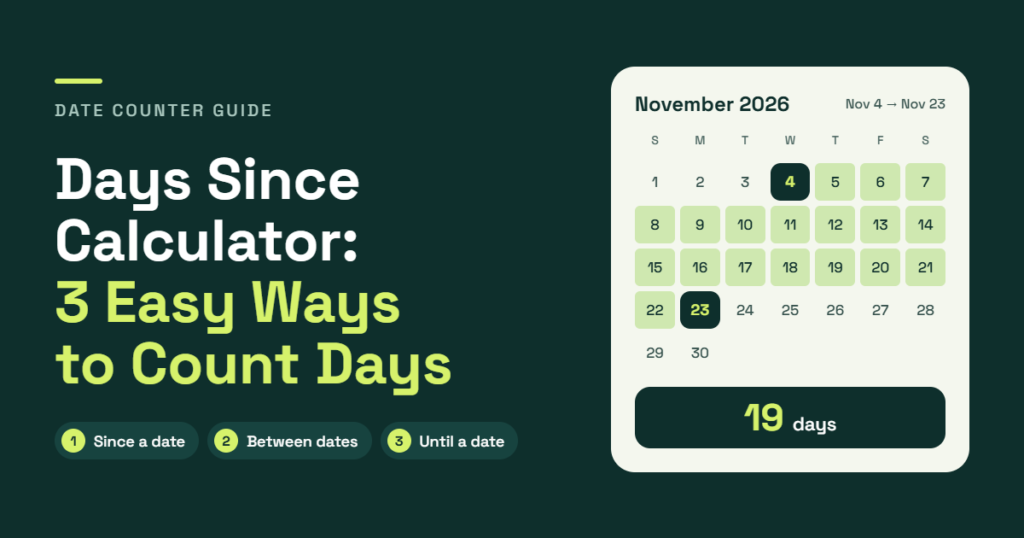
Knowing exactly how many days have passed since a particular date can be useful for tracking important events, personal milestones, deadlines, and everyday activities. A Days Since Calculator makes this process simple by showing the number of days between a past date and today. Instead of manually checking calendars or counting each day, users can get instant results with just a few clicks. Whether someone wants to know how many days have passed since a birthday, wedding, graduation, or another memorable event, a date calculator can provide an accurate answer. This guide explores three easy ways to count days, explains how date calculations work, and highlights useful features that make tracking time easier.
What Is a Days Since Calculator?
A Days Since Calculator is an online tool that determines how many days have passed between a selected starting date and the current date. It works as a day counter by comparing two calendar dates and calculating their difference.
For example, someone who wants to know how many days have passed since January 1 can enter that date and receive the total number of elapsed days instantly. The result can help track anniversaries, personal achievements, historical events, and other important occasions.
A days counter can also work as a general date difference calculator. Depending on its features, it may calculate the duration between two dates rather than automatically using today’s date.
A free days-since calculator online can be particularly useful because it requires no signup, complicated formulas, or manual calendar counting. Most modern tools also provide instant results and work across desktop computers, tablets, and mobile devices.
3 Easy Ways to Count Days
There are several ways to determine the number of days between dates. Some methods involve simple calendar calculations, while others use online tools or spreadsheet formulas.
Here are three practical approaches.
1. Use an Online Days Since Calculator
Using an online calculator is one of the easiest ways to find out how many days have passed since a particular date.
A days since calculator automatically compares the selected start date with the current date. The user only needs to choose a date from the date picker, and the tool performs the calculation.
How to use the calculator:
- Open a days since calculator online.
- Select the desired start date.
- Confirm the date displayed in the calculator.
- Click the Calculate button if required.
- Review the total number of days passed since that date.
For example, someone interested in tracking the days since graduation can enter the graduation date. The calculator will display the number of calendar days between that event and today.
Depending on the available features, the result may also show weeks, months, and years between dates.
Some advanced calculators provide additional options, including a live counter, a shareable link, and different date formats. These features make it easier to revisit an important date or share the result with others.
2. Calculate Days Between Dates Manually
Another approach is to calculate the days between dates using a calendar. This method can be useful when someone wants to understand how date calculations work without relying on an online tool.
The basic process involves identifying the starting date, selecting the ending date, and determining the number of calendar days separating them.
For example, consider a calculation between March 1 and March 10.
The difference is:
March 10 − March 1 = 9 days.
This is the standard elapsed-day calculation when the starting date is excluded.
However, manual calculations can become more complicated when the dates fall in different months or years. Each month has a different number of days, and leap years introduce an additional day in February.
A date calculator can eliminate much of this manual effort by automatically accounting for calendar differences.
How to Calculate Days Between Dates Manually
A simple way to calculate the duration between two dates is to:
- Identify the starting date.
- Identify the ending date.
- Count the remaining days in the starting month.
- Add the complete days in the months between the dates.
- Include the days in the ending month.
- Adjust the result if the end date is included.
This approach can also help calculate the duration between two dates when both dates fall in the past.
3. Calculate Days Between Dates in Excel
Microsoft Excel provides another practical way to determine the number of days between two dates.
It can work as a simple time-between-dates calculator because spreadsheet formulas automatically calculate the difference between valid date values.
For example, suppose:
- Cell A2 contains the starting date.
- Cell B2 contains the ending date.
The following formula calculates the elapsed days:
=B2-A2
Excel returns the number of days separating the two dates.
Another option is the DATEDIF function:
=DATEDIF(A2,B2,"d")
This formula returns the number of complete days between the selected dates.
For business-related calculations, Excel also provides the NETWORKDAYS function, which can count working days while excluding weekends.
For users who regularly work with schedules, project timelines, or employee records, spreadsheet formulas can be helpful. However, an online number-of-days calculator is generally more convenient for occasional calculations.
How Does a Days Since Calculator Work?
A days since calculator works by comparing a selected starting date with an ending date. In most cases, the ending date is today’s date.
The calculator converts both dates into values that can be compared mathematically. It then subtracts the earlier date from the later date to determine the total number of elapsed calendar days.
The basic formula is:
Days Passed = End Date − Start Date
For example, if an event happened 30 days before the current date, the calculator returns 30 elapsed days.
A date duration calculator may also express the same result in different units, including:
- Days
- Weeks
- Months
- Years
- Years, months, and days between two dates
Some calculators provide more detailed time and date duration results. These may include hours between two dates and even minutes or seconds between dates when the starting and ending times are available.
The Gregorian calendar is generally used for standard date calculations, with leap years automatically accounted for.
Days Since vs. Days Until: What’s the Difference?
Although the terms sound similar, days since and days until describe two different types of date calculations.
Days since measures the time that has already passed between a previous date and today.
Days until measures the time remaining between today and a future date.
For example:
- Days since Christmas: Measures how many days have passed since the previous Christmas.
- Days until Christmas: Measures how many days remain before the next Christmas.
A days-until calculator is useful for upcoming birthdays, holidays, vacations, examinations, and special occasions.
Similarly, a days-ago calculator helps determine how long ago an event occurred.
The difference is mainly the direction of the calculation: past dates measure elapsed time, while future dates measure remaining time.
What Can a Days Since Calculator Be Used For?
A day counter is useful for more than simply checking how much time has passed. It can help track personal milestones, memorable occasions, historical events, and everyday goals.
Personal Milestones and Relationships
People often use date calculators to remember meaningful moments in their lives.
For example, a milestone tracker can calculate:
- Days since we met.
- Days since our wedding.
- Days since baby was born.
- Days since graduation.
- Days since moving.
- Anniversary day counter.
- Relationship day counter.
These calculations can make special occasions easier to remember and celebrate.
Health Goals and Personal Streaks
Tracking progress over time can help people stay motivated when working toward personal goals.
A streak tracker or sobriety day counter can help measure progress since a selected starting date.
Other examples include:
- Days since quitting smoking.
- Days since last drink.
- Days since starting the diet.
- Days since last workout.
- Days since surgery.
Such calculations are useful for personal recordkeeping and motivation. However, a calendar-day counter does not replace professional medical guidance or health monitoring.
Historical Events
A historical event day calculator can determine how much time has passed since important moments in history.
Examples include:
- Days since COVID started.
- Days since the moon landing.
- Days since 9/11.
- Days since Brexit.
- Days since World War II ended.
The accuracy of these calculations depends on using the correct historical event date.
Holidays and Recurring Dates
A date calculator can also help track annual occasions and seasonal events.
Common examples include:
- Days since Christmas.
- Days since Valentine’s Day.
- Days since New Year’s Day.
- Days since January 1.
- Days since January 1, 2025.
- Days until Christmas.
A holiday countdown calculator can also determine the days remaining until an upcoming celebration.
Understanding Different Date Calculation Results
A date difference calculator can provide more than one type of result. Understanding these outputs helps users interpret the calculated duration correctly.
Days, Weeks, Months, and Years Between Dates
The most common result is the total number of elapsed days.
Some calculators also convert that number into weeks, months, or years.
For example, 90 days equals 12 weeks and 6 days. However, converting days into months or years requires care because calendar months have different lengths.
A calculator that displays years, months, and days between two dates provides a calendar-based breakdown rather than treating every month as having the same number of days.
Hours, Minutes, and Seconds Between Dates
Some advanced tools also function as time duration calculators.
When both dates include specific times, the tool can calculate:
- Hours between two dates.
- Minutes between two dates.
- Seconds between two dates.
These outputs are particularly useful for tracking work periods, event durations, and time-sensitive activities.
Including or Excluding the End Date
One important setting is whether to include the end date in the calculation.
For example, the difference between March 1 and March 10 is 9 elapsed days.
However, if both March 1 and March 10 are counted as full calendar days, the total becomes 10 days.
This is known as including the end date or including the end day (add 1 day).
The correct approach depends on the purpose of the calculation. Standard date differences generally exclude the starting date, while inclusive counting includes both dates.
Business Days and Working Days Calculations
Not every calculation requires counting all calendar days. In professional environments, users may need to determine the number of working days between two dates.
A business days calculator or working days calculator counts eligible weekdays instead of every calendar day.
For example, a calculation may use Monday through Friday and exclude Saturday and Sunday.
Some calculators also provide options to:
- Calculate days between dates excluding weekends.
- Exclude holidays.
- Count or don’t count holidays.
- Account for US federal holidays.
This type of calculation can be useful for project deadlines, payroll schedules, delivery estimates, and business planning.
A separate date calculator can also add or subtract days from a selected date.
For example:
- Add days to date: Determines a future date after a specified number of days.
- Subtract days from date: Finds an earlier date.
- Date plus days: Adds a chosen number of calendar days to the starting date.
These options make a date duration calculator useful for both past and future date calculations.
Do Leap Years Affect Days Since Calculations?
Yes. Leap years can affect the total number of days between two dates.
A standard year contains 365 days, while a leap year contains 366 days.
During a leap year, February has 29 days instead of 28. This additional day must be included whenever a calculation crosses February 29.
A leap year generally occurs every four years. However, centuries must also follow a special rule:
- Years divisible by 4 are generally leap years.
- Years divisible by 100 are not leap years.
- Years divisible by 400 are leap years.
For example, 2024 was a leap year, while 2025 was not.
A reliable days counter should account for these calendar rules automatically to provide accurate results.
How to Choose an Accurate Days Since Calculator
Not all online calculators offer the same features. Choosing a suitable tool can make date calculations easier and more convenient.
Here are some useful features to consider:
1. Accurate Calendar-Day Math: The calculator should correctly account for different month lengths and leap years.
2. Simple Date Selection: A clear start date and end date option makes calculations easier.
3. Instant Results: The tool should display the calculated duration without unnecessary steps.
4. Mobile Friendly Design: A responsive calculator should work smoothly on smartphones, tablets, and desktop computers.
5. Flexible Date Options: Users should be able to select past and future dates.
6. Clear Output: Results should be easy to understand, with days, weeks, months, and years displayed where supported.
7. Privacy and Accessibility: A convenient online tool should avoid unnecessary registration and explain how data is handled.
A well-designed date calculator makes it easier to find the difference between dates without complicated calculations.
Frequently Asked Questions (FAQs)
1. How do I calculate how many days have passed since a date?
A days since calculator can determine the elapsed time automatically. The user selects a past date, and the tool compares it with today’s date to display the total number of days passed.
2. How many days are between two dates?
The number of days depends on the selected starting and ending dates. For example, March 1 to March 10 has a difference of 9 elapsed days when the starting date is excluded.
3. What is the difference between days since and days until?
Days since refers to the number of days that have passed since a previous date. Days until refers to the number of days remaining before a future date.
4. How many days since I was born?
A person’s total age in days depends on their birth date and the current date. An age calculator or chronological age calculator can determine the number of elapsed days since birth.
5. How many days old am I?
A date calculator can calculate a person’s age in days by comparing their birth date with today’s date. The result accounts for the number of days in each month and leap years.
6. How many days are between the 4th and the 26th?
If both dates fall within the same month, the elapsed difference between the 4th and the 26th is 22 days. If both dates are counted inclusively, the total is 23 days.
7. How many weeks are between two dates?
The total number of elapsed days can be divided by seven to determine the number of weeks. For example, 28 days equals exactly four weeks.
8. How to calculate days between dates manually?
The calculation involves counting the remaining days in the starting month, adding the complete days in the months between the dates, and including the days in the ending month. Leap years should also be considered.
9. How to calculate days between dates in Excel?
Excel can subtract one date from another using a simple formula such as =B2-A2. The DATEDIF function can also calculate the number of complete days between two dates.
10. How many days since January 1?
The answer depends on the year and the date of calculation. A days since calculator can provide the exact elapsed-day total after the user enters January 1 of the selected year.
11. Can I calculate the days between two past dates?
Yes. A date difference calculator can compare any two valid past dates. Today’s date does not have to be one of the selected dates.
12. Is the days-since calculator accurate?
A properly designed calculator can provide accurate calendar-day results by accounting for month lengths, leap years, and the Gregorian calendar. The selected dates and inclusive counting settings should also be checked.
13. Do leap years count in the calculation?
Yes. Leap years are included automatically in standard calendar calculations. February 29 adds one extra day to the relevant period.
14. What day of the week was I born?
A date calculator or birthday calculator can identify the weekday associated with a birth date. It uses the calendar date to determine whether the day was Monday, Tuesday, or another weekday.
Conclusion
Counting the number of days between important dates does not have to be complicated. A Days Since Calculator offers a quick way to determine elapsed time, track memorable events, and calculate date differences without manually checking a calendar.
Whether someone chooses an online calculator, performs the calculation manually, or uses an Excel formula, each method can help determine how much time has passed. From personal milestones and historical events to business schedules and upcoming holidays, accurate date calculations make everyday planning easier.
For quick and convenient results, an online days counter is a practical choice for anyone who wants to know how many days have passed since a particular date.